HTMLBoard
HTMLBoard app icon

Your tools. Your way. Your iPhone.

Each of these started as one sentence typed to an AI. Try them right here in your browser. Then download one and keep it on your iPhone or iPad with HTMLBoard, offline and private.

Example tools

Made with AI by the HTMLBoard developer. HTMLBoard doesn't come with these; add the ones you want, or make your own. Tap Try it to play with one here, or Download to keep it.

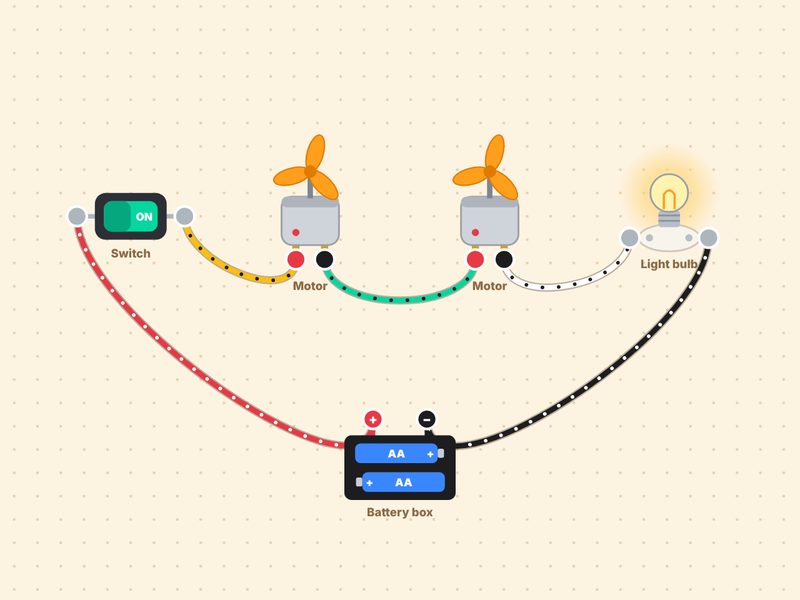
Motor Lab: a battery box wired to a switch, two spinning motors and a glowing bulb
Science

⚡ Motor Lab

Build circuits with a battery, switch, motors, bulbs and a buzzer, and watch electricity flow. Includes gears and 8 challenges.

The prompt that started it Make a single-file HTML circuit playground for kids. Let them drag a battery box, switch, motor, light bulb and buzzer onto a workbench, connect them with wires, and show when the circuit works. Add a few challenges with stars.
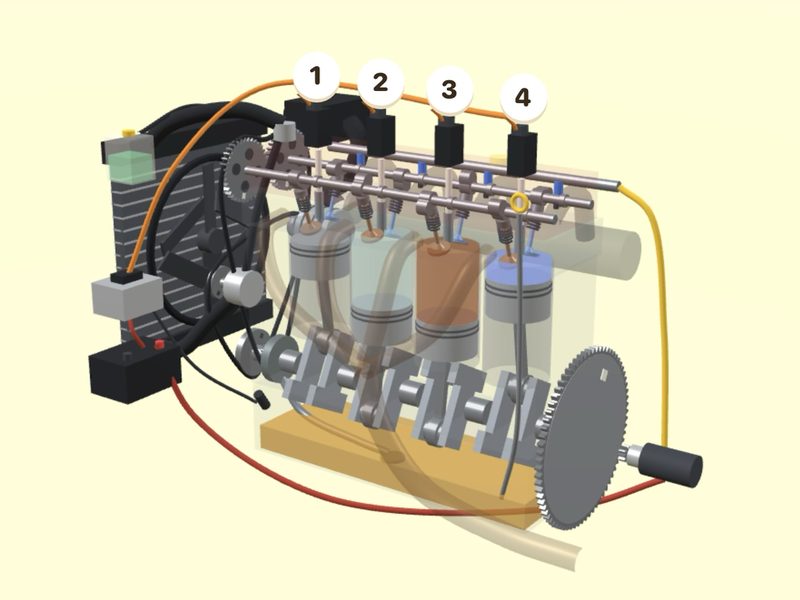
Engine Lab: a see-through 3D engine showing the exhaust stroke
Science

🚙 Engine Lab

Peek under the hood of a 4x4 and see how a car engine works in 3D: intake, squeeze, bang and blow out.

The prompt that started it Make a single-file HTML 3D explainer of how a car engine works, for kids. Show a jeep they can open the hood on, then a see-through engine that steps through intake, compression, power and exhaust.
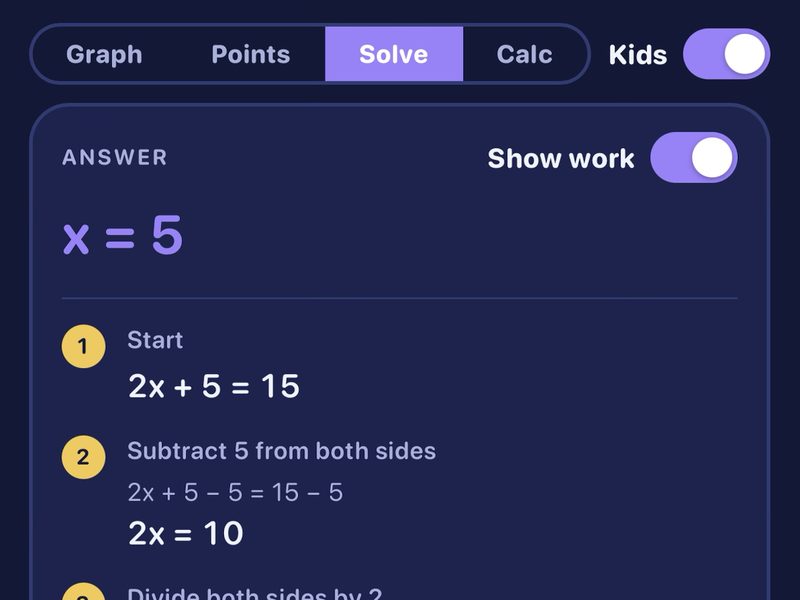
Math Helper solving 2x + 5 = 15 and showing every step
Learning

➗ Math Helper

A graphing calculator that solves equations and shows every step, with a Kids mode. Made for tutoring at the kitchen table.

The prompt that started it Make a single-file HTML graphing calculator that can graph equations, plot points, and solve equations showing every step in plain words. Add a Kids mode and a big keypad.
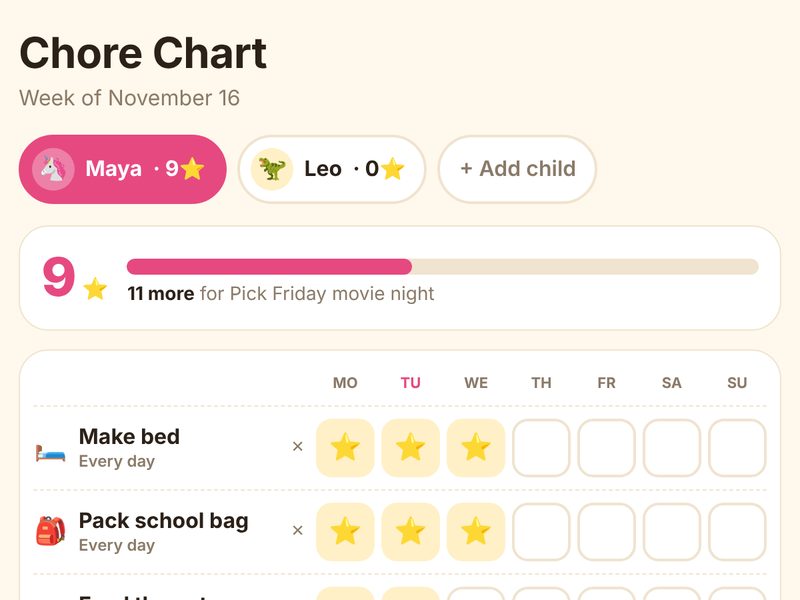
Chore Chart with stars earned for making the bed and packing a school bag
Family

⭐ Chore Chart

Each kid gets their own chores, taps a box to earn a star, and works toward a reward. A new chart starts every Monday.

The prompt that started it Make a single-file HTML chore chart for my kids. Each child has their own chores and a reward goal, taps a box each day to earn a star, and the chart resets every Monday.
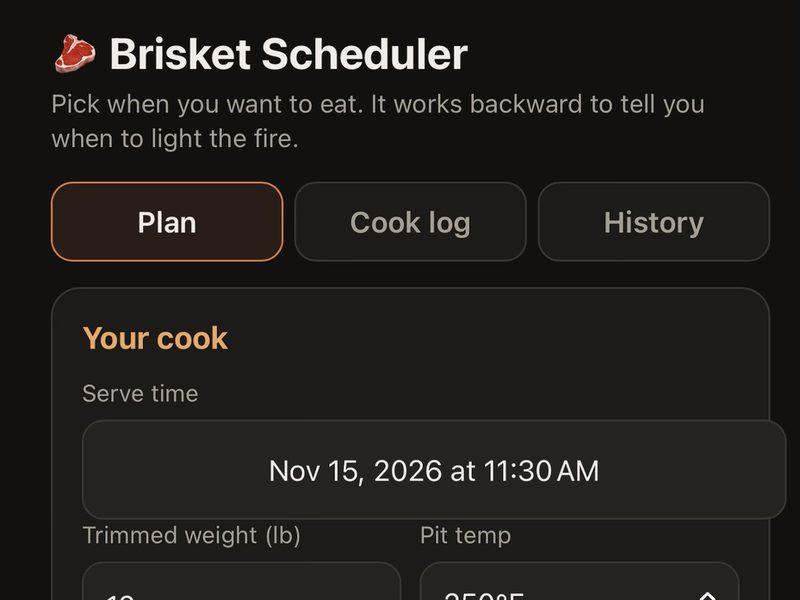
Brisket Scheduler planning a cook backward from serve time
Cooking

🥩 Brisket Scheduler

Pick when you want to eat. It works backward to tell you when to light the fire, logs temps, and adds each step to your calendar.

The prompt that started it Make a single-file HTML brisket planner. I pick when we eat, and it works backward to tell me when to light the smoker, wrap and rest, with a checklist, a temperature log and calendar reminders.
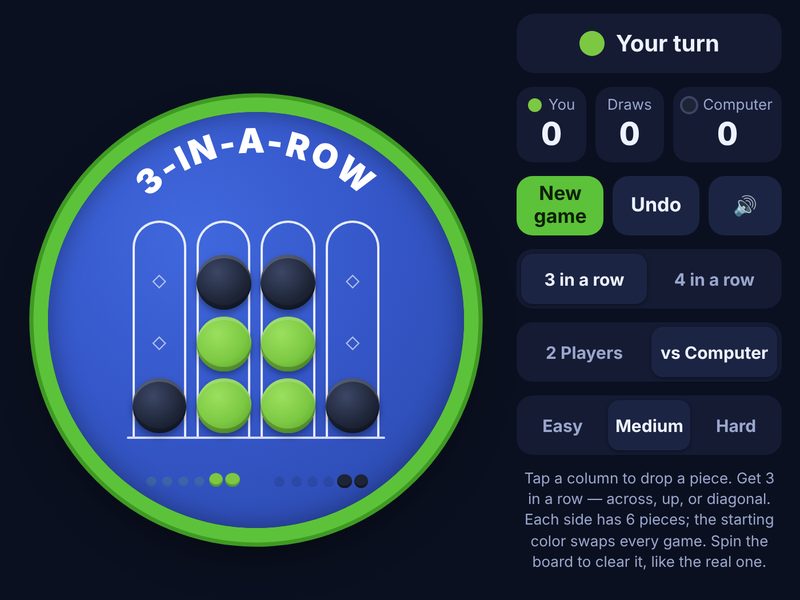
3-in-a-Row: a round game board with green and navy pieces
Game

🟢 3-in-a-Row

Drop pieces to get 3 in a row, or switch to 4 in a row. Play a friend or the computer on three levels, then spin the board to clear it.

The prompt that started it Make a single-file HTML drop-the-pieces game where you get 3 in a row on a small round board, with a 4-in-a-row mode, two players or vs computer, and easy, medium and hard levels.
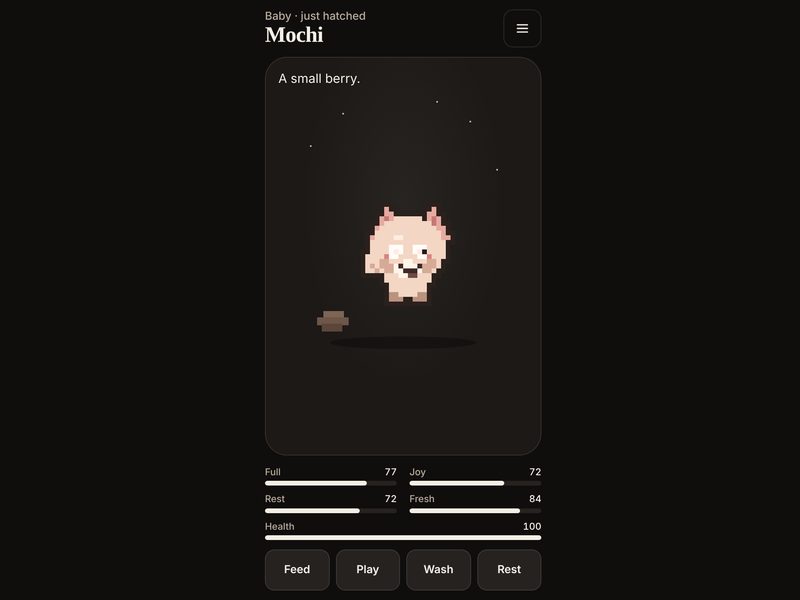
Pocket Pet: a small pixel pet with meters for food, joy, rest and health
Game

🐣 Pocket Pet

Warm an egg until it hatches, then feed, wash and play with your pet. It keeps living while you are away and grows into a different kind depending on how you care for it.

The prompt that started it Make a single-file HTML virtual pet that hatches from an egg. Let me feed it, play a quick catch game, wash it and put it to bed. It should keep aging while the page is closed, grow through stages, and turn into different kinds based on how I care for it. Save everything on my device.
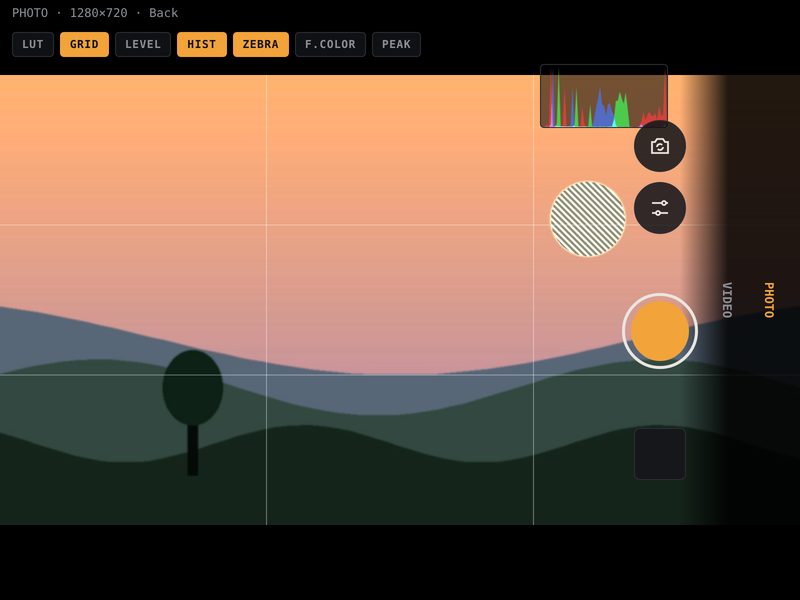
Field Cam: a camera viewfinder with grid, histogram and zebra stripes turned on
Photo

📷 Field Cam

A camera with the tools video shooters use: histogram, zebras, false color, focus peaking, a level and frame guides. Add a color look and export it as a .cube file. The camera only turns on when you tap Start.

The prompt that started it Make a single-file HTML camera for photo and video with a histogram, zebra stripes, false color, focus peaking, a level, rule-of-thirds grid and frame guides. Show any manual exposure, focus and white balance controls the camera reports, and let me apply color looks that I can export as .cube files.
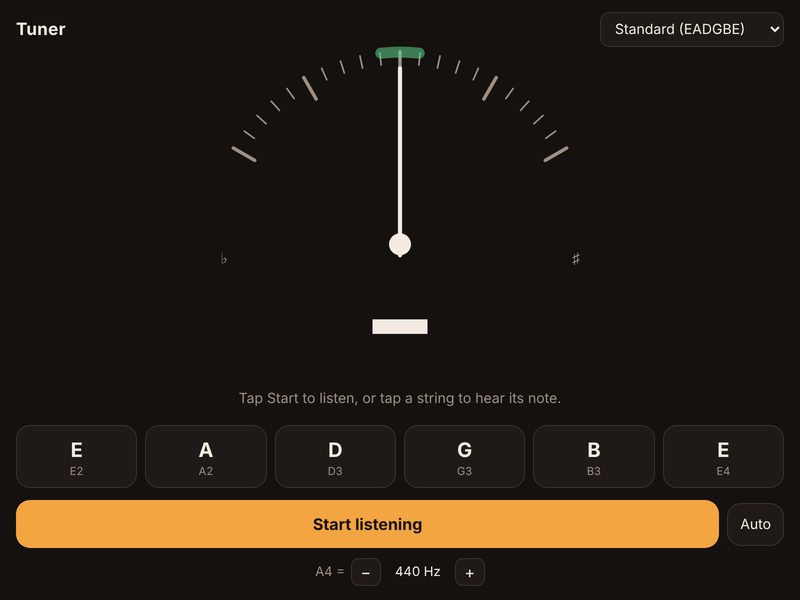
Guitar Tuner: a needle gauge with buttons for each string and a Start listening button
Music

🎸 Guitar Tuner

Listens through your microphone and shows if each string is flat or sharp. Tap a string to hear its note, switch tunings, or adjust A4.

The prompt that started it Make a single-file HTML guitar tuner that listens through my microphone and shows a needle for flat or sharp, with buttons for each string that play the note, a few common tunings, and an adjustable A4 pitch.
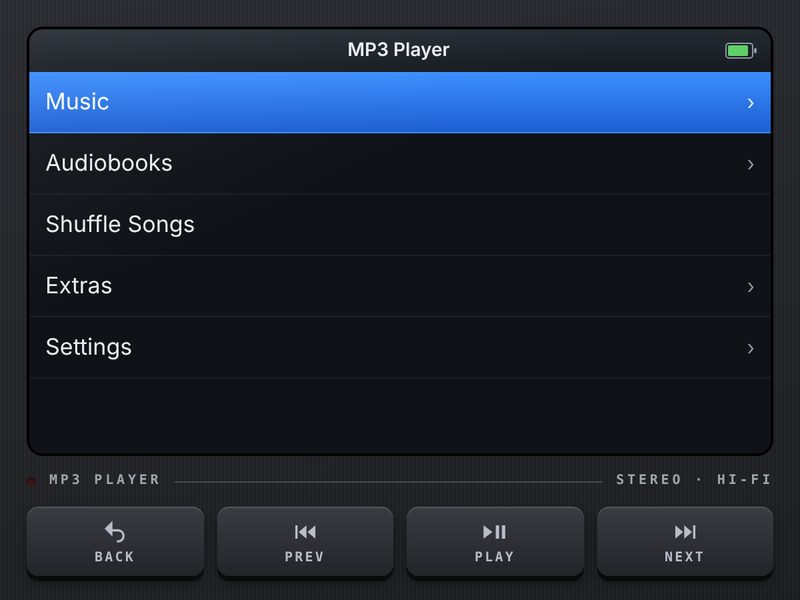
MP3 Player: a dark music player with a menu screen and hardware-style buttons
Music

🎧 MP3 Player

Your own music and audiobooks in a retro player with a turning jog dial, playlists, a sleep timer and a built-in Brick game. Everything stays on your device.

The prompt that started it Make a single-file HTML music player styled like a retro MP3 player, with a screen, four hardware-style buttons and a jog dial I turn to scroll. Let me add my own MP3 files and audiobooks, make playlists, and keep everything saved on my device.

Make your own tool

Tap a few choices. We'll write the prompt for you. Paste it into any AI chat, like Claude, ChatGPT or Gemini.

1. Who is it for?
2. What kind of tool?
4. Extras (tap any)
Your prompt

Then share the HTML file your AI makes to HTMLBoard. You can edit the prompt above before you copy it.

1

Ask an AI

Describe the tool you want in plain words. Ask for it as a single HTML file.

2

Share it to HTMLBoard

Share the file from your AI chat, Files, Mail or Messages.

3

Use it anytime

It stays on your phone, keeps what you save, and works without the internet.

Keep it on your iPhone

HTMLBoard is a free iPhone and iPad app that keeps HTML files like these in one place. Tools start offline and can't use your camera, mic or location unless you say yes.

Get HTMLBoard
  1. Tap Download on a tool. It saves to your Files app.
  2. Open Files → Downloads. Find the tool.
  3. Tap Share → HTMLBoard. It's on your board.